Alle Guides

Social Media · Einstieg · Du fliegst, aus einem einzigen Foto

Vom Foto zum Flug: dein eigener Held in 6 Einstellungen

Du lädst ein Foto von dir hoch und bekommst sechs Prompts für einen Kinoflug: Verwandlung, Absprung, Wolken, Schallmauer, Landung und zurück ins Foto. Dazu der Identitätsblock, der dein Gesicht stabil hält, und das, was du rechtlich wissen musst.

8 Min Lesezeit

David Koch · aktualisiert am 26.10.2026
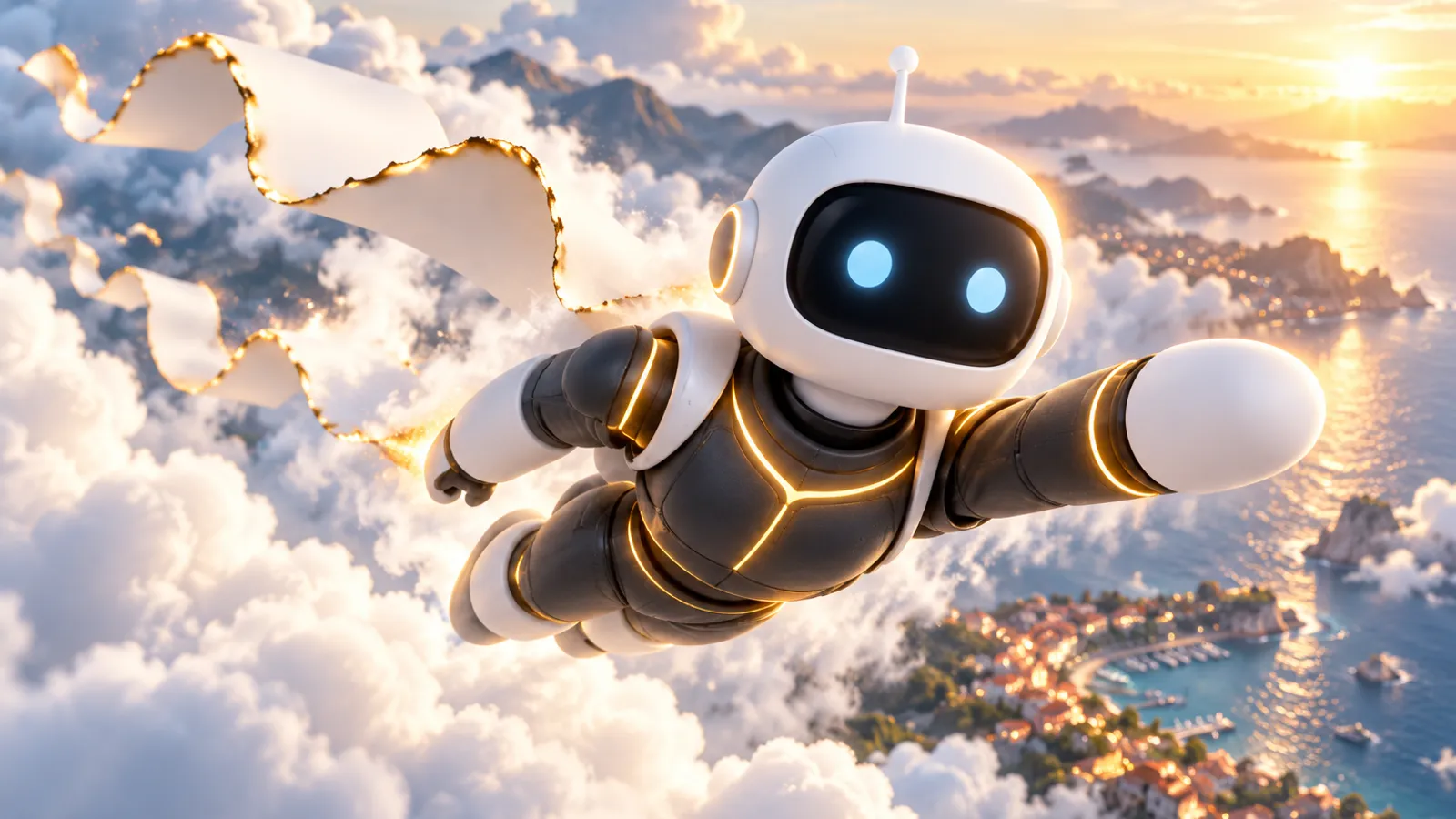
Ein weißer Assistent im anthrazitfarbenen Anzug mit goldenen Nähten fliegt über sonnige Wolken und eine Küstenstadt, hinter ihm weht ein Streifen Fotopapier mit glühender Kante.

Ein Foto von dir auf der Terrasse oder am Fenster, und daraus wird ein Kinoflug: Du verwandelst dich, springst, fliegst über die Wolken, durchbrichst die Schallmauer, landest, und am Ende steht wieder dein Foto im Bild. Sechs Clips à 5 Sekunden, jeder mit einem eigenen Prompt, geschrieben wie für einen Kameramann.

Der Weg in einem Satz

Foto aussuchen → Identitätsblock ausfüllen → sechs Clips nacheinander rechnen, jeden mit dem letzten Bild des vorigen starten → am Ende dein Foto als Endbild → schneiden und als KI kennzeichnen.

Das brauchst du

  • Ein Foto von dir als Startbild: Ganzfigur oder Halbfigur, scharf, gut ausgeleuchtet, am besten an einer Brüstung, Mauer oder Kante.
  • 2 bis 3 Gesichtsfotos als Referenz: frontal, dreiviertel, Profil.
  • Ein Videomodell mit Startbild und Endbild, zum Beispiel Seedance oder Kling.
  • Eine Schnitt-App, um die sechs Clips aneinanderzuhängen (zum Beispiel CapCut).
  • Etwas Geduld: Rechne zuerst Entwürfe und nur die besten Clips in voller Qualität.

So hängen die sechs Clips zusammen

Startbild, Endbild, Kette

Einstellung 1 startet mit deinem Foto als Startbild. Jede weitere Einstellung startet mit dem letzten Bild der vorigen (im Werkzeug als Startbild hochladen). Bei Einstellung 6 gibst du dein Foto zusätzlich als Endbild mit, dann landet der Film wieder genau im Foto. Rechne zuerst einen Entwurf in niedriger Auflösung und erst die besten Clips in voller Qualität. Ein Clip dauert je 5 Sekunden, Hochformat 9:16, Ton an.

Dein Held ist deine eigene Erfindung

Keine bekannten Figuren

Erfinde einen eigenen Helden: keine bekannte Figur, kein Name einer Figur, kein Emblem auf der Brust, kein Umhang, keine Originalfarben bekannter Helden. Sonst blockt das Werkzeug den Prompt (Urheber- und Markenfilter), und rechtlich wird es heikel. Der Anzug im Identitätsblock ist bewusst schlicht gehalten: anthrazit, eine einzige Akzentfarbe, Handschuhe, Stiefel.

Wo im Prompt [DEIN ORT] steht, setzt du den Ort deines Fotos ein. Das Drehbuch geht davon aus, dass du an einer Kante oder Brüstung stehst, von der du dich abstoßen kannst. Passt dein Foto nicht dazu, ändere den Absprung in Einstellung 2 entsprechend.

Der Identitätsblock

Den Identitätsblock setzt du vor jede Einstellung. Ersetz die Teile in [ECKIGEN KLAMMERN], häng dein Startfoto und 2 bis 3 Gesichtsfotos (frontal, dreiviertel, Profil) als Referenz an und rechne eine Einstellung nach der anderen.

Identitätsblock (vor jede Einstellung)
IDENTITY AND REALISM (applies to every frame): Take x = the person in the reference photos ([DEIN FOTO] plus 2 to 3 more real photos of you: frontal face, three-quarter face, side profile). Take x's images as single source of truth and do not change anything about x: [DEIN AUSSEHEN, e.g. face shape, hair colour and length, eye colour, beard or no beard, build]. Before the transformation x wears [DEINE KLEIDUNG from the photo]. SUIT (your own original hero design, after the transformation): a fitted matte anthracite grey technical suit like a modern test pilot suit with a fine woven texture, thin [DEINE AKZENTFARBE] seam lines only along the shoulders, the outside of the arms and the sides. The chest is completely plain: NO emblem, no symbol, no letter, no shape, no light on the chest. Black gloves, black boots. No cloak, nothing flowing behind x. No colours of any known hero, no logo. No glasses, no watch, no mask: the face is always uncovered and recognizable. Real skin texture with pores, facial muscles that tense realistically under strain, natural eye line (eyes never rolled up), realistic gravity and physics, real dust, debris and motion blur, exactly five fingers per hand, no morphing of the face, no face swap, no text, no letters, no logos, no watermark, no blood, no injuries. Vertical 9:16, photoreal cinema, shot on a large-format digital cinema camera with anamorphic lenses, subtle film grain, blockbuster grade with [DEINE AKZENTFARBE] as the single accent colour.

Die sechs Einstellungen

1. Der Ruf

Startbild ist dein Foto. Die Luft vibriert, ein leuchtender Scanner läuft von den Füßen bis zum Kopf und verwandelt deine Kleidung in den Anzug. Das Gesicht bleibt gleich.

Prompt: Einstellung 1
SHOT 1 "THE CALL" (5 seconds, one continuous take, start frame = the start photo exactly, early morning sun low behind [DEIN ORT]).
CAMERA: 35mm at chest height, locked off for one second, then a slow push-in toward x's face.
ACTION, beat by beat: 0.0 to 1.0 s x stands exactly as in the photo, hands on x's hips, still like a photograph. 1.0 to 2.0 s a deep low hum makes the air tremble, small pebbles on the wall start to vibrate and hop, x looks up to the sky with a calm, focused expression, eyes level and clearly visible. 2.0 to 4.0 s the transformation: a thin horizontal line of warm [DEINE AKZENTFARBE] light rises slowly from x's feet up to x's head like a scanner; below the line x's clothes have become the anthracite flight suit with [DEINE AKZENTFARBE] seams, above it x still wears [DEINE KLEIDUNG]. The face stays exactly the same. 4.0 to 5.0 s x clenches the right fist, the black glove creaks, x bends x's knees slightly.
LIGHT: low warm morning sun from behind right, [DEINE AKZENTFARBE] rim light, the scanning line glows and lights x's face from below for a moment.
ATMOSPHERE: shimmering heat in the air, hopping pebbles, floating [DEINE AKZENTFARBE] dust.
SOUND: morning birds, a growing deep electric hum, a soft crackle as the [DEINE AKZENTFARBE] line rises, the creak of the glove.

2. Der Absprung

Du steigst auf eine Brüstung, lässt dich fallen und gleitest knapp über die Dächer. Die Kamera fällt mit wie bei einem Base-Jump.

Prompt: Einstellung 2
SHOT 2 "THE DROP" (5 seconds, continues from the previous shot at [DEIN ORT]).
CAMERA: 28mm handheld, starting behind x's right shoulder at the wall or railing at [DEIN ORT], then the camera follows x over the edge and drops with x like a base-jump camera, heavy motion blur.
ACTION, beat by beat: 0.0 to 1.0 s x steps up onto the wall or railing at [DEIN ORT], looks down at the steep drop and the rooftops far below, the wind pulls at x's hair, a small calm breath. 1.0 to 2.0 s x leans forward and lets x fall off the edge, arms spread like a base jumper. 2.0 to 3.5 s x drops fast along the hillside, trees and roofs rush toward the camera, then just above the roofs x levels out and starts gliding forward, x's body stretched, the wind pressing x's cheeks. 3.5 to 5.0 s x accelerates low over the rooftops toward the sea, roof tiles and palm leaves flutter in x's slipstream, then x climbs steeply toward the morning sun.
TRANSITION OUT (4.5 to 5.0 s): the camera cannot keep up, the sun flares across the whole lens and the image dissolves into white light and cloud.
LIGHT: low morning sun ahead, [DEINE AKZENTFARBE] flare, long shadows of the buildings, warm rim light on x.
ATMOSPHERE: rushing air, fluttering leaves, dust from roofs, heat shimmer above the tiles.
SOUND: wind at the edge, a short breath, roaring wind of the fall, whoosh past the roofs, a rising orchestral swell.

3. Über den Wolken

Du schießt aus einer Wolke, die Kamera fliegt neben dir her wie ein Begleitflugzeug.

Prompt: Einstellung 3
SHOT 3 "ABOVE THE CLOUDS" (5 seconds, continues out of the white streaks of the previous shot).
CAMERA: aerial tracking shot flying beside x at the same speed, 35mm, slightly ahead and to x's right, gently banking with x like a camera plane next to a jet.
ACTION, beat by beat: 0.0 to 1.0 s the white streaks resolve into towering sunlit clouds, x bursts out of a cloud flying horizontally, body stretched like a skydiver in a wingsuit, arms slightly back. 1.0 to 3.5 s x flies fast between huge clouds above a coastal city far below, the wind presses x's cheeks and flattens x's hair, condensation streams off x's shoulders, x's eyes are narrowed and focused straight ahead, a hint of a smile. 3.5 to 5.0 s x banks into a long turn, the rising sun flares across the lens, the whole city with its coastline and harbour becomes visible below.
LIGHT: sunrise, warm [DEINE AKZENTFARBE] light from the low sun, cool blue shadows in the clouds, sun flare.
ATMOSPHERE: cloud vapour rushing past, condensation trails, tiny water droplets on the suit.
SOUND: roaring wind, a soaring orchestral swell.

4. Die Schallmauer

Du kommst direkt auf die Kamera zu, ein Dampfring bildet sich um deinen Körper und platzt mit einem Lichtblitz.

Prompt: Einstellung 4
SHOT 4 "THE SOUND BARRIER" (5 seconds, continues the flight).
CAMERA: front view, 50mm, the camera flies backwards in front of x as x comes straight toward the lens, then x passes the camera.
ACTION, beat by beat: 0.0 to 1.5 s x accelerates toward the camera, x's body tightens, x's face strains with effort, teeth clenched. 1.5 to 3.0 s a white cone of vapour forms around x's shoulders and body like around a fighter jet breaking the sound barrier: the air around x turns into a perfect ring of condensation. 3.0 to 3.5 s the ring bursts with a flash of [DEINE AKZENTFARBE] light and a visible shockwave that ripples through the clouds.
TRANSITION OUT (3.5 to 5.0 s): x blasts straight through the camera, the white vapour and [DEINE AKZENTFARBE] light fill the whole lens, the frame shakes violently.
LIGHT: [DEINE AKZENTFARBE] sunlight through the vapour cone, bright rim around x.
ATMOSPHERE: vapour cone, shockwave ripples in the clouds, droplets hitting the lens.
SOUND: rising roar, a massive sonic boom, ringing silence for a moment.

5. Die Landung

Landung auf einem Platz, der Boden bricht auf, dann Zeitlupe mit schwebendem Staub.

Prompt: Einstellung 5
SHOT 5 "THE LANDING" (5 seconds, starts out of the white vapour of the previous shot).
CAMERA: wide shot, 24mm, from a low position on a large empty stone plaza by the harbour, locked off, camera shakes on impact; then slow motion.
ACTION, beat by beat: 0.0 to 1.0 s the vapour clears, x drops down from the sky feet first. 1.0 to 2.0 s x lands on one knee with one fist on the ground: the stone slabs crack in a wide radial pattern, chunks of stone and dust jump into the air, a ring of dust blasts outward, pigeons scatter. 2.0 to 4.0 s extreme slow motion: dust and small stones hang in the air around x, x stays down, breathing, head lowered. 4.0 to 5.0 s back to real speed, the debris falls.
LIGHT: early morning sun low behind x, long shadows, dust glowing in the backlight.
ATMOSPHERE: dust ring, flying stones, scattered pigeons, cracked ground.
SOUND: rushing descent, a deep earth-shaking impact, cracking stone, wings of pigeons, slow motion rumble.

6. Zurück ins Foto

Das Bild reißt wie Papier, dahinter steht wieder dein Foto. Dafür gibst du dein Foto hier als Endbild mit.

Prompt: Einstellung 6
SHOT 6 "BACK INTO THE PHOTOGRAPH" (5 seconds, continues on the stone plaza by the harbour, end frame = the start photo exactly).
CAMERA: 50mm at eye level, medium shot, the camera slowly moves backward as x walks toward it.
ACTION, beat by beat: 0.0 to 2.0 s x stands up calmly, dust drifting around x in the morning light, and walks two relaxed steps toward the camera, brushing dust from x's sleeve. 2.0 to 3.0 s x stops, looks straight into the camera with a calm face and a small closed-mouth smile.
TRANSITION OUT (3.0 to 5.0 s): the whole image tears apart down the middle like a sheet of paper, the torn edges flutter away to both sides, and behind the tear appears the original start photo with x in [DEINE KLEIDUNG], posing exactly as in the start photo, standing completely still like the photograph.
LIGHT: warm morning sun, soft rim light, dust glowing in the air.
ATMOSPHERE: settling dust, calm harbour in the background.
SOUND: footsteps on stone, distant harbour sounds, paper tearing, a single camera shutter click at the very end.

Nur dein eigenes Gesicht

Das Drehbuch funktioniert nur mit deinem eigenen Foto oder mit schriftlicher Einwilligung der Person. Und weil das Ergebnis wie eine echte Aufnahme wirkt, gehört der Hinweis „Mit KI erstellt“ dazu, im Video oder als Label beim Hochladen.

Ansehen, bevor du postest

  • Sieht das Gesicht im ganzen Clip gleich aus, auch in der letzten Sekunde?
  • Hände, Zähne, Augen: nichts verformt?
  • Taucht plötzlich ein Emblem, ein Logo oder Text auf? Dann neu rechnen.
  • Passt der Clip ins Hochformat, ohne dass oben der Kopf fehlt?

Rechtlich: nur eigenes Gesicht oder mit Einwilligung

Ein Foto eines anderen Menschen zu animieren und zu veröffentlichen, braucht seine Einwilligung. Das folgt aus dem Recht am eigenen Bild (§ 22 KUG) und dem allgemeinen Persönlichkeitsrecht. Nimm deshalb dein eigenes Foto oder lass dir die Einwilligung schriftlich geben.

Dazu kommt die EU-KI-Verordnung: Wirkt ein KI-Video wie eine echte Aufnahme einer realen Person, verlangt Art. 50 Abs. 4 seit dem 2. August 2026 einen Hinweis, dass der Inhalt künstlich erzeugt ist. Kennzeichne das Video deshalb als KI. Wie weit das bei deinem Einsatz greift, klärst du im Zweifel mit einer Rechtsberatung.

Keine Rechtsberatung

Dieser Abschnitt zeigt, worauf du achten solltest. Ob ein Clip im Einzelfall zulässig ist, beurteilt eine Anwältin oder ein Anwalt.

Weiterführende Links

Weiter in Social Media

Business Dezigner Academy · kostenlos

Aus dem Guide wird ein Assistent, der für dich arbeitet.

Wie du aus solchen Clips ganze Reels mit Text, Stimme und Schnitt baust, zeige ich dir kostenlos in der Business Dezigner Academy.

Direkt kostenlos anmelden

Dein Weg dorthin: drei Etappen, kostenlos

  1. Etappe 1: Das KennenlernenDu und dein Assistent redet miteinander, bevor irgendetwas eingerichtet wird.
  2. Etappe 2: Die EinarbeitungDein Assistent lernt deinen Betrieb und deine Schreibe, bevor etwas passiert.
  3. Etappe 3: Der ProbelaufDein Assistent legt dir eine fertige Arbeit vor, bevor du einen Cent ausgibst.

Das bekommst du als Mitglied

  • 6 Kurse mit 47 LektionenDer Weg, Claude Code, Automatisierung, Die Website, Marketing mit KI und Gefunden werden. Zum Lesen und Mitmachen, mit Befehlen zum Kopieren.
  • Das News-Radar, jeden Tag geprüftWas sich bei Anthropic, OpenAI und Google ändert und was EU und Gesetzgeber vorgeben. Kurz erklärt, jede Meldung mit Quelle.
  • 68 Guides wie dieserSortiert nach Abteilung, damit du schnell findest, was zu deinem Betrieb passt.
  • Der Werkzeugkasten „Der erste Mitarbeiter“125 Regeln, 5 Checklisten und Vorlagen zum Mitnehmen. Stand 24.10.2026.
  • 32 Skills und AgentenAngebot schreiben, Kundenmail beantworten, Rechnung prüfen. Fertige Arbeitsanweisungen, die du sofort nutzt.
  • Die CommunityStell deine Frage und sieh, woran andere gerade bauen.

Kostenlos anmelden

Ohne Abo und ohne Zahlungsdaten. Du bekommst einen Link per Mail, der Klick darauf meldet dich an und legt diesen Guide in deine Academy, auch als PDF.

Datenschutzerklärung

Versand über Resend. Mehr zu Verarbeitung und Widerruf in der Datenschutzerklärung.

Kostenlos, ohne Abo. Jederzeit abmeldbar.

Schon dabei? Einloggen und in der Academy lesenAkademie ansehen